

Wireless Camera Security Buying Guide and Accessories
Choosing the right wireless camera security setup can make it easier to monitor your home, check on visitors, and keep an eye on outdoor areas without running cables throughout your property. Today's wireless security cameras offer features such as motion detection, night vision, two-way audio, and remote access through a mobile app.
However, the best setup depends on more than video quality. Battery life, Wi-Fi coverage, storage options, and compatible accessories all affect how well your cameras perform. This guide explains what to look for in wireless home security cameras and how Wasserstein accessories can help improve power, placement, and protection.
Types of Wireless Security Cameras
Different wireless cameras serve different purposes. Before choosing a security system, identify the areas you want to monitor and whether each camera needs battery power, a wired connection, or specialized mounting hardware.
Indoor, Outdoor, and Battery-Powered Cameras
Indoor cameras monitor living rooms, nurseries, pets, and other interior spaces. Look for privacy controls, motion alerts, and two-way talk if you want to communicate through the camera.
Outdoor cameras are designed for entrances, garages, driveways, and yards. Weather resistance, night vision, and a suitable field of view are important for outdoor use, especially in areas exposed to rain and changing lighting conditions.

Battery-powered cameras provide flexible placement without requiring a nearby power outlet. Most wireless cameras still need a reliable Wi-Fi connection to send notifications and stream video, even when they do not need a power cable.
Some models use rechargeable batteries, while others rely on replaceable batteries. A wire-free setup is particularly useful for renters and homeowners who want easier installation or may need to reposition their cameras later.
Video Doorbells and Specialty Cameras
Video doorbells monitor your front door and let you see and speak with visitors on your phone. Some doorbell cameras are battery-powered, while others use existing wiring.

Other options include:
-
Floodlight cameras: Combine video monitoring with integrated lighting to illuminate driveways and other dark areas.
-
Lightbulb cameras: Fit compatible light sockets, providing a convenient installation option where the socket's location offers a useful viewing angle.
-
Pan-tilt cameras: Allow you to adjust the viewing direction remotely, helping cover a larger area.
For whole-home security, combine cameras according to their purpose. An outdoor camera can watch the driveway, a doorbell camera can monitor visitors, and an indoor model can cover a shared living space.
Key Features to Compare
The most useful features depend on where a camera will be installed and what you want to capture. Consider image clarity, detection capabilities, power requirements, and ongoing costs before choosing a model.
Video Quality, Field of View, and Night Vision
Video resolution affects how much detail a camera can capture. A 1080p camera can be sufficient for general monitoring, while 2K and 4K models can provide more detail when you need to identify objects or inspect footage.
For example, Lorex cameras come with 4K resolution and up to 100-foot night vision, the Arlo Pro 5S with 2560p recording, and the Ring Spotlight Cam Plus with color night vision. These are model-specific examples, not features available across every product from those brands.
Night vision also matters when monitoring an entrance or yard after dark:
-
Infrared night vision: Uses infrared illumination to capture images in low light, generally producing black-and-white footage.
-
Color night vision: Uses available light, often supported by a spotlight, to capture color details in darker conditions.
Check the field of view as well as resolution. A wide viewing angle can cover more of an area, but the camera still needs to be positioned to capture important details without major blind spots.
Motion Detection, Two-Way Audio, and Smart-Home Capabilities
Most wireless cameras can detect movement and send alerts to a connected phone. More advanced models offer person detection, object recognition, and package detection, helping distinguish relevant activity from passing cars or moving branches.
Some cameras also recognize familiar faces, detect sounds, or allow customizable motion zones. These AI features vary by model and may require an advanced subscription.

Two-way audio lets you listen and speak through a camera, making it useful for communicating with delivery drivers or checking on family members. Smart-home integrations can add further convenience, but confirm compatibility with Google Assistant, Google Home, Alexa, or your preferred platform before purchasing.
Battery Life, Power, and Weather Resistance
Battery life depends on the camera, recording frequency, motion sensitivity, signal strength, and environmental conditions. Manufacturer estimates should be treated as guidelines rather than guarantees.
For example, the Blink Outdoor 2K Plus is advertised with battery life of up to two years under suitable conditions. The actual interval between battery changes can be shorter depending on usage.
When evaluating power options, consider:
-
Rechargeable batteries: Convenient for cameras that can be removed and charged indoors.
-
Solar panels: Can replenish compatible camera batteries during the day, reducing manual charging.
-
Plug-in power: Useful when an outlet is accessible and continuous external power is preferred.
-
Wired power: Can reduce battery maintenance, although installation requirements vary.
For outdoor models, check the manufacturer's weather-resistance rating and recommended operating conditions. A camera's ability to withstand rain does not necessarily mean its charging cable, connector, or every accessory can be exposed to the elements.
Storage, Subscriptions, and Privacy
Wireless security cameras may offer cloud storage, local video storage, or both. Each option has advantages.
Cloud storage uploads video footage to remote servers. Cloud backup can preserve previously uploaded clips if a camera is stolen or damaged, subject to the provider's retention policy and subscription terms. Some cameras include free cloud storage or a limited video history, while others require monthly fees for extended recording and advanced detection.
Local storage saves recordings to a microSD card, base station, or compatible recorder. It can reduce recurring subscription costs, but capacity and recording history depend on the storage device and camera features.
Before buying, check whether the camera supports a microSD card, whether continuous recording is available, and how long event history remains accessible. Also review privacy settings and account security features.
Wireless vs. Wired and Hybrid Camera Systems
Wireless security cameras are generally easier to install because they do not require a dedicated data cable running to every camera. Battery-powered models can also work in places where adding wiring would be inconvenient.
However, wireless systems depend on a stable Wi-Fi connection. A weak signal can interrupt live viewing, notifications, or uploads. Battery-powered cameras also need an ongoing power plan.
Wired cameras may provide a more consistent connection, depending on the system, and some use local recording equipment. However, they may require existing wiring, electrical modifications, or professional installation.
Hybrid systems combine wired and wireless cameras, allowing you to use each type where it makes the most sense. For example, a wired camera might cover a frequently monitored entrance, while a wire-free camera covers a detached shed.
Wireless Camera Installation and Placement Tips
A good installation helps your cameras capture useful footage while minimizing maintenance.
-
Test Wi-Fi before mounting. Check the signal at the intended location, including through exterior walls. Wi-Fi range varies by router, building materials, and interference.
-
Choose the right viewing angle. Cover entrances and access points while avoiding unnecessary blind spots.
-
Consider lighting conditions. Avoid pointing a camera directly at intense sunlight where possible, and check whether nearby lighting supports night vision.
-
Use suitable mounts. Secure outdoor cameras with compatible mounting hardware, especially when they are installed above ground level.
-
Maintenance plan. Place battery-powered cameras where they can be reached safely for charging, unless a compatible solar or external power accessory can reduce the need to remove them.
A DIY setup works well for many wireless home security cameras. Complex wiring, new electrical connections, and installations that require structural modifications may call for professional installation.
Wasserstein Accessories for Wireless Camera Security
The right accessories can help address common camera setup problems, from frequent battery changes to limited mounting options. Wasserstein offers accessories for selected camera models, but compatibility should always be confirmed before ordering.
Solar Panels and Battery Extension Packs

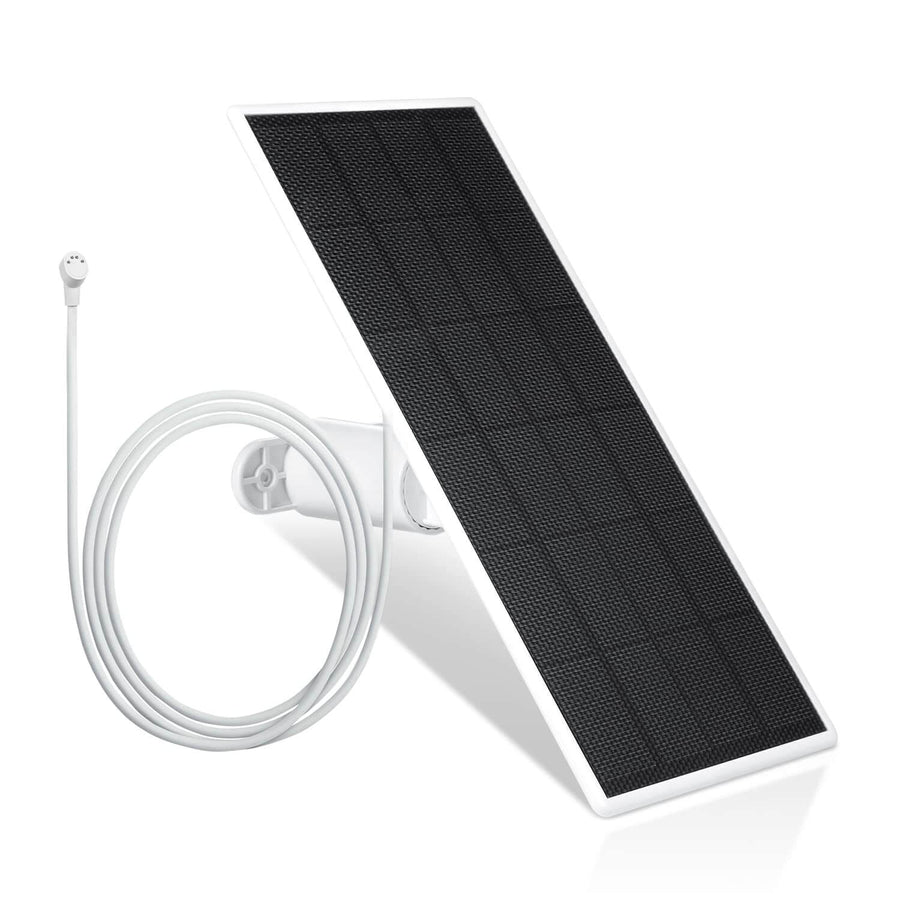
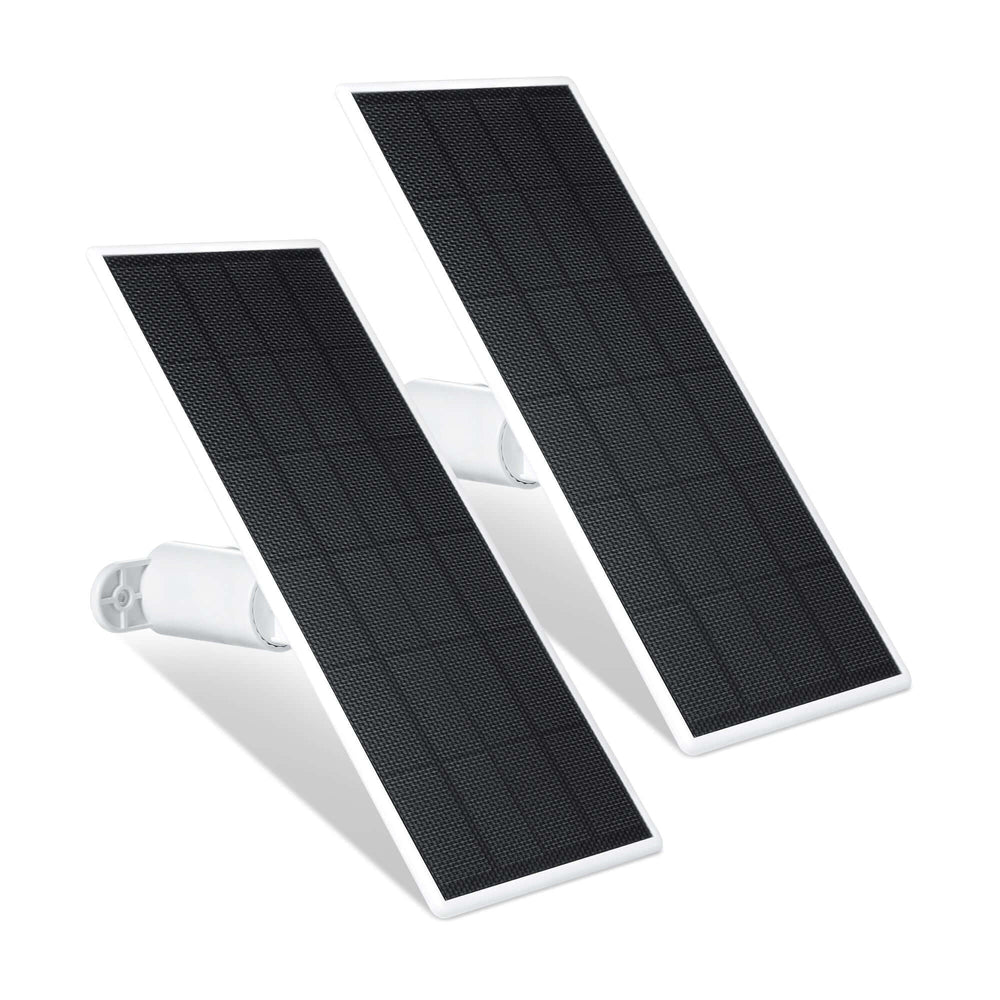
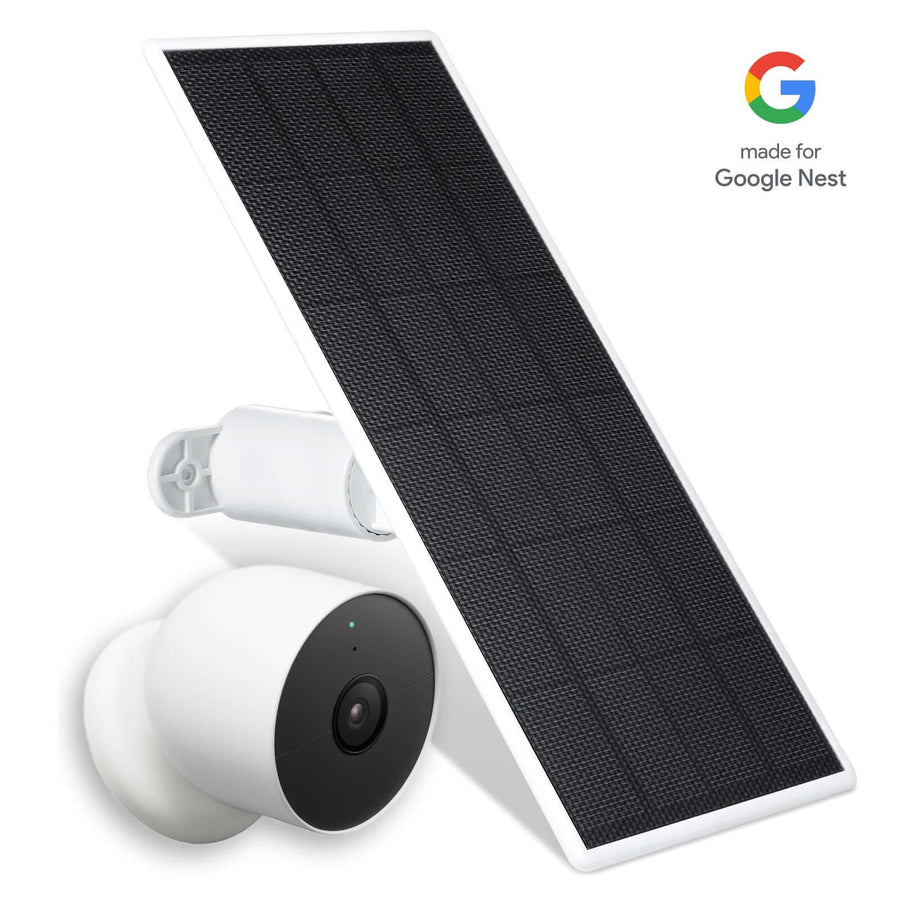
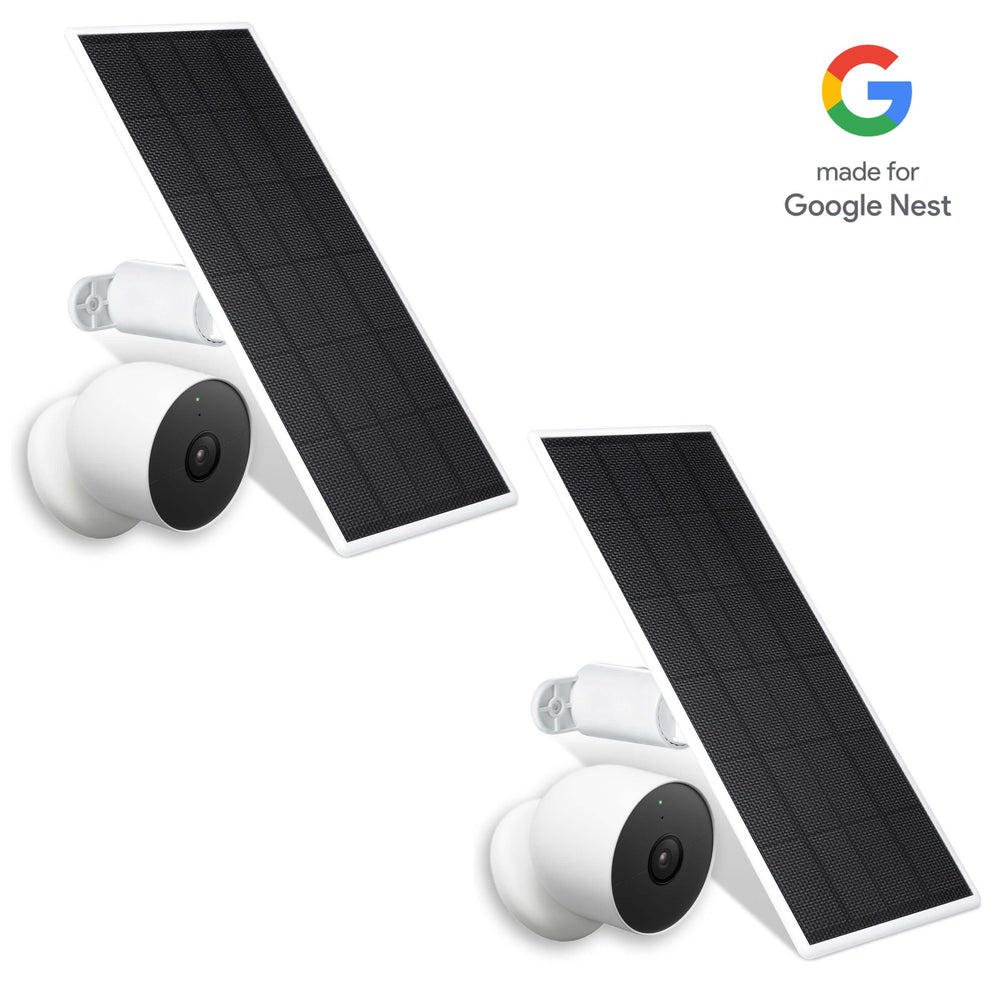
A compatible solar panel can help keep a battery-powered outdoor camera charged without requiring you to remove it for routine charging.
Wasserstein solar panels feature high-efficiency solar cells delivering up to 2.5W to 3.5W of power, depending on the model. A 360-degree adjustable mount and a 13 ft (4 m) cable help you position the panel for better sunlight exposure while keeping the camera in a suitable viewing location.
For best results, install the panel where it receives sufficient direct sunlight and verify that it supports your specific camera. Cloudy weather, shade, and high camera activity can affect charging performance, so solar power should not be treated as a guarantee of uninterrupted operation.
For compatible Blink Outdoor 4 cameras, the Wasserstein AA Lithium Battery Extension Pack provides space for four AA batteries instead of two. The product is designed to extend operating time and reduce battery changes. Check the supported battery type in the product instructions before use.
Mounts, Anti-Theft Protection, and Specialty Camera Cases
Mounting accessories can improve viewing angles, protect cameras, and make installation more flexible.
The Wasserstein Anti-Theft Mount for Google Nest Cam (Battery)helps secure the camera against theft or tampering. Its anti-drop design and protective hood also help shield the camera from sun glare and raindrops. It is worth considering for outdoor locations where the camera is mounted above ground level.

Wasserstein also offers adjustable mounting solutions for selected camera setups. Depending on the model, swivel and tilt adjustments can help direct the camera toward a doorway or other important area without repeatedly drilling new holes.
For backyard monitoring, the Wasserstein Bird Feeder Camera Case is designed for compatible Ring, Blink, and Wyze cameras. It holds bird feed and provides a way to capture close-up wildlife footage while keeping the camera protected from outdoor conditions. A compatible solar panel can be added separately to help reduce charging interruptions.
Charging Cables and PoE Adapters
When solar charging is not suitable, an external power accessory may provide a practical alternative for a compatible camera.
The Wasserstein Pogo Pin Cable and Adapter for Google Nest Cam (Battery) includes a 26 ft cable designed to provide continuous power to the supported camera. Its extra length offers more flexibility when choosing a mounting location near a suitable power source.

The Wasserstein PoE Adapter for Google Nest Cam (Battery) is another option for homes with Ethernet cabling. It powers the compatible camera through a PoE connection, but Wi-Fi is still required to transmit camera data. The Ethernet connection and adapter should be installed according to the product instructions, including the specified protection for the outdoor connector.
These accessories are model-specific. Check the exact camera generation, connector type, and power requirements before adding an accessory to your cart.
How to Choose the Right Wireless Camera Setup
Use this simple process to build a system around your home and budget:
-
Identify coverage needs. Decide whether you need indoor monitoring, outdoor coverage, front-door protection, or all three.
-
Choose camera types. Compare battery-powered cameras, wired models, and video doorbells based on their intended locations.
-
Check connectivity and power. Confirm Wi-Fi coverage and decide whether batteries, a solar panel, plug-in power, or existing wiring is appropriate.
-
Compare important features. Prioritize video quality, night vision, motion detection, and two-way audio according to your needs.
-
Choose storage. Review local storage and cloud storage options, including retention limits and subscription fees.
-
Add compatible accessories. Consider mounts, charging cables, solar panels, or battery extension packs to improve placement and maintenance.
-
Calculate total cost. Include the camera, accessories, storage hardware, and any recurring service charges.
The best performance comes from matching the camera to its environment rather than choosing the model with the longest feature list.
Securing Your Wireless Camera System
Wireless home security cameras should be protected against unauthorized access as carefully as other connected devices.
-
Use a strong, unique password for each camera account.
-
Enable two-factor authentication when available.
-
Keep camera firmware and router software updated.
-
Use WPA2 or WPA3 Wi-Fi security where supported.
-
Consider a separate network for smart-home devices if your router allows it.
-
Review app permissions, privacy settings, and shared account access.
These steps help protect your camera feeds, saved video footage, and connected smart-home devices.
FAQs
Do wireless security cameras need Wi-Fi?
Most wireless security cameras use Wi-Fi for remote viewing, alerts, and cloud uploads. Some systems record locally without an internet connection, but remote access and notifications may be unavailable. Check the individual camera's offline recording capabilities before buying.
How long do wireless camera batteries last, and are solar panels worth it?
Battery life ranges from weeks to months or longer, depending on the model and activity. A compatible solar panel can reduce manual charging when it receives enough sunlight. Shaded locations or cameras with frequent motion events may still require additional charging.
Can wireless cameras record without a subscription?
Yes, some cameras support local recording to a microSD card or compatible base station without a paid cloud plan. However, storage capacity, video history, and advanced AI features vary. Check which functions remain available without a subscription.
Is local or cloud storage better?
Local storage can reduce recurring fees and keep recordings on a compatible card or device. Cloud storage provides remote access to uploaded footage and can preserve clips if the camera is stolen. The better option depends on retention needs, privacy preferences, and budget.
How do I check whether a Wasserstein accessory fits my camera?
Check the accessory's compatibility list against your camera's exact model and generation. Confirm the connector, mounting design, and power requirements where applicable. Do not assume that accessories designed for one camera generation will fit another from the same brand.
Leave a comment