

Ring Solar Charger Compatibility: Which Doorbells and Cameras Work?
A Ring solar charger can help extend battery life and reduce how often you need to remove your Ring video doorbell for charging. However, not every solar panel works with every Ring doorbell generation. Connector types, power output, and mounting requirements all affect compatibility.
In this Ring solar charger review, we’ll compare three Wasserstein solar charging options, explain how solar power works, and cover installation tips to help you find the right accessory for your device. Before you purchase, check your exact Ring model and the product’s compatibility information to avoid ordering a charger that does not fit.
How Do Ring Solar Chargers Work?
Solar panels use photovoltaic cells to convert sunlight into electricity. The panel sends power to a compatible battery doorbell, helping replenish its battery during the day. The rechargeable battery stores energy for later use, including periods when sunlight is unavailable.
A solar charger can reduce the need for manual charging, but it does not guarantee a full battery. Its performance depends on several factors:
-
Direct sunlight: More consistent sun exposure generally supports better charging performance.
-
Weather and shade: Cloudy conditions, nearby walls, and covered mounting locations can reduce the power available.
-
Device activity: Frequent motion detection, live video viewing, and other security features can increase battery consumption.
-
Installation angle: Positioning the panel toward the sun can improve exposure throughout the day.
A weather-resistant design also matters because the panel will be exposed to outdoor conditions. Even so, weather resistance does not mean every installation location or climate is suitable.
The key takeaway is simple: a Ring solar charger helps maintain battery power, but the results depend on sunlight, device usage, and the specific charger you install.
Which Ring Doorbells Are Compatible With Solar Chargers?
Compatibility depends on the exact Ring video doorbell model and generation. Two products that look similar may use different charging connections, so check the model name before you buy.
Ring Doorbell Solar Charger Compatibility Table
|
Ring doorbell model |
Wasserstein solar charger option |
Connection |
|---|---|---|
|
Ring Video Doorbell (2nd Gen, 2020 release) |
Dedicated 2020 model solar charger |
Micro-USB |
|
Ring Video Doorbell 3 / 3 Plus / 4 |
Dedicated solar charging bracket |
Fork charging connector |
|
Ring Battery Doorbell Pro / Plus |
Dedicated solar charging bracket, subject to exact model verification |
Fork charging connector |
|
Ring Battery Doorbell (2024 release) |
Universal solar charger |
Verify the supplied connector and fit |
|
Other Ring battery doorbells |
Universal solar charger, where explicitly listed as compatible |
Check the exact model and connector |
|
Wired Ring doorbells |
Not compatible with the listed universal charger |
Check the device’s power requirements |
This table is a starting point, not a substitute for checking the current product listing. Confirm the precise generation, connector, and mounting requirements before placing an order. A shared brand name or similar appearance does not guarantee compatibility.
Dedicated vs. Universal Ring Solar Chargers
Wasserstein offers three relevant options, each designed for a different combination of models and installation needs.
1. Wasserstein Solar Charger for Ring Video Doorbell 3 / 3 Plus / 4 and Battery Doorbell Pro / Plus
This dedicated solar charging bracket is designed to connect to supported doorbells through a fork charging connector at the back of the device. It provides a model-specific mounting solution without the need for a separate exposed charging cable running to the doorbell.

With this charger, you can expect approximately 4% battery gain every five hours in direct sunlight and 2% every five hours in partial sunlight. Actual results can vary with weather, placement, and doorbell activity.
-
Rated output in the supplied product information: 0.6W
-
Weather-resistant construction for outdoor use
-
Includes mounting screws, wall anchors, and other installation hardware
2. Wasserstein Solar Charger for Ring Video Doorbell (2nd Gen, 2020 release)
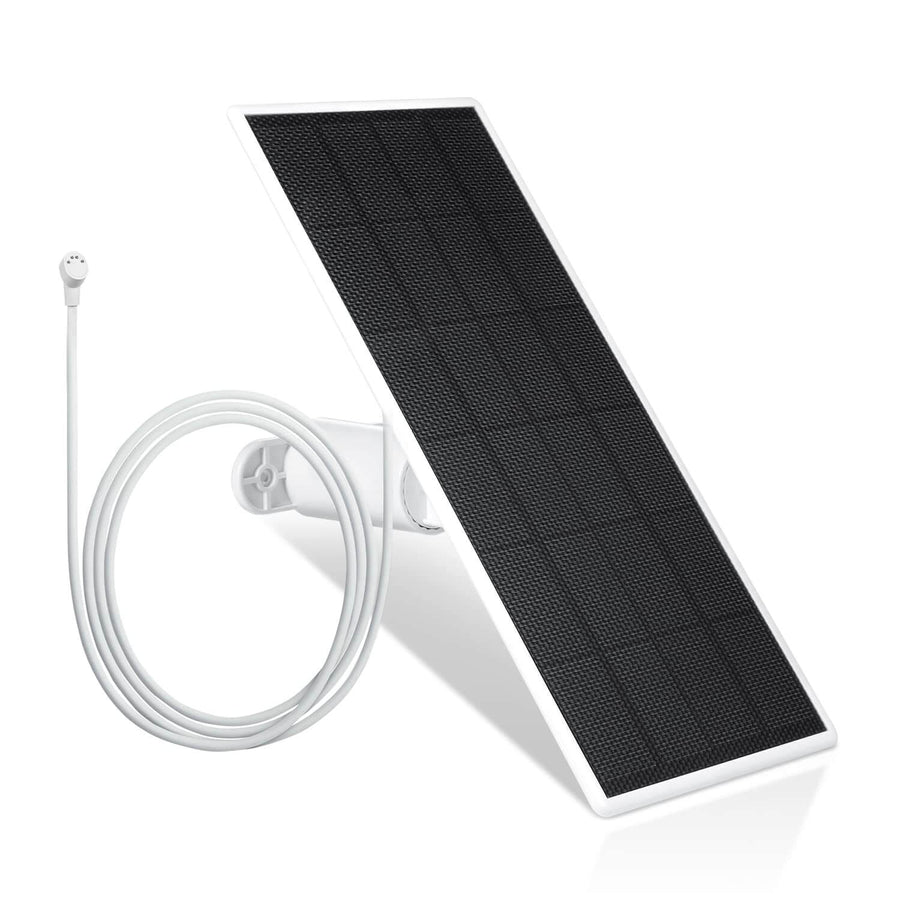
This dedicated charger uses US-engineered solar cells and a Micro-USB cable to connect to the specified 2020 Video Doorbell generation. It is designed to help maintain battery power with a few hours of direct sunlight exposure.
3. Wasserstein Universal Solar Charger for Supported Ring Battery Doorbells

The universal model offers a 2.5W solar panel with three panels and an adjustable top panel that can tilt up to 120 degrees. It includes USB-C and Micro-USB connectors for supported doorbells, plus a dedicated backplate for the Wyze Wireless Video Doorbell Pro.
Its broader compatibility list makes it worth considering if you own a supported Ring battery doorbell from a different generation. However, universal does not mean that it works with every Ring device. Wired doorbells are excluded, and the exact connector and fit must still be verified.
What About Ring Security Cameras?
Ring security cameras have their own solar accessories, and a doorbell solar charger should not automatically be treated as a compatible camera panel. The correct accessory depends on the camera model, power connection, and mounting system.

Battery-powered cameras may support dedicated solar panels, while wired models have different power requirements. USB-C is also not a universal compatibility standard: the connector must match the device, and the panel must provide suitable power.
Before you purchase a solar accessory for a Ring camera, check the exact camera generation and the supported panel listed for that device. The three Wasserstein products reviewed here are intended for specified doorbells, so use camera-specific compatibility information when shopping for a security camera solar panel.
How to Install a Ring-Compatible Solar Charger
Easy installation starts with choosing a suitable location and confirming that the charger fits your Ring doorbell. Before you begin, read the product manual and check the included hardware.
1. Choose a Location With Direct Sunlight
Mount the solar panel where it can receive several hours of direct sunlight during the day. Avoid areas shaded by roof overhangs, trees, or nearby walls. An adjustable bracket can help you angle the panel toward the sun.
2. Connect the Correct Charger
The setup process varies by product:
-
Fork connector: For compatible doorbells, position the charging bracket and connect its fork connector to the back of the doorbell as instructed.
-
Micro-USB: For the dedicated 2020 Video Doorbell charger, connect the supplied cable following the product instructions.
-
Universal charger: Select the correct supplied connector for your supported model and confirm the mounting arrangement before installation.
Some installations require removing the doorbell from its mount to access the charging connection. Do not assume that every model requires wiring to doorbell terminals.
3. Secure the Panel and Manage Cables
Use the appropriate mounting screws and wall anchors included with the product. Route cables neatly, avoid pinching them behind the bracket, and keep connections protected from unnecessary exposure to moisture.
Once installation is complete, check that the panel is secure and the doorbell operates normally. If a charging error appears or the battery does not gain power, review the connection, sunlight exposure, and troubleshooting instructions before changing the setup.
How Well Do Ring Solar Chargers Work?
A solar charger’s performance depends on how much sunlight reaches the panel and how quickly the doorbell uses its battery power.
Direct Sunlight vs. Cloudy Weather
Direct sunlight generally provides better charging conditions than shade or cloudy weather. The dedicated Wasserstein solar charging bracket lists the following estimated performance:
-
Direct sunlight: Approximately 4% battery gain every five hours.
-
Partial sunlight: Approximately 2% battery gain every five hours.
These figures apply to a specific product and are not guaranteed results. Actual performance can change with the installation angle, local weather, seasonal sunlight, and device activity.
An adjustable panel can help you find a better position, but it cannot compensate fully for a location that receives very little sunlight. If your doorbell is installed beneath a deep porch roof, consider whether a nearby exposed wall offers a better mounting position.
Can a Solar Charger Eliminate Battery Recharging?
Not necessarily. A Ring solar charger is designed to supplement battery power, not guarantee uninterrupted operation without manual charging.
Your battery may still drain faster than the panel can replenish it, especially if the doorbell records frequent motion events or you regularly view live video. During extended cloudy periods, the available solar power may also fall below the device's energy needs.
For this reason, consider solar charging a way to reduce charging frequency rather than a promise of zero downtime. Monitor your battery level after installation to see whether the panel supplies enough power for your everyday usage.
How to Choose the Right Wasserstein Solar Charger
The best product is the one that matches your exact Ring doorbell, not necessarily the one with the highest wattage or broadest compatibility claims.
Use this quick checklist before you buy:
-
Identify your model and generation. Check the device name in the Ring app or product information.
-
Confirm the connector. Determine whether your model requires a fork connector, Micro-USB, or a compatible USB-C connection.
-
Compare power output. The dedicated bracket is listed at 0.6W, while the universal panel is rated at 2.5W. Higher wattage alone does not guarantee better real-world results.
-
Check the mounting requirements. Make sure the panel can be positioned securely in a sunny location.
-
Review the product listing. Verify the exact model compatibility, included accessories, current price, and installation instructions before ordering online.
For supported Video Doorbell 3, 3 Plus, 4, Battery Doorbell Pro, and Plus models, consider the dedicated charging bracket. For the Video Doorbell (2nd Gen, 2020 release), choose the dedicated Micro-USB charger. For supported battery doorbells across multiple generations, the universal 2.5W panel offers another option.
If you are unsure which accessory fits, check the official compatibility details before completing your purchase. Taking a little extra time to verify the model can help prevent an avoidable return or installation problem.
Frequently Asked Questions
Does a Ring solar charger keep the battery fully charged?
Not always. A Ring solar charger supplements the battery with solar power, but performance depends on sunlight, weather, and device activity. Frequent recordings or extended cloudy periods can cause the battery to drain faster than the panel replenishes it.
Can I use one solar charger with multiple Ring doorbells?
A solar charger is generally intended to power one compatible device at a time. Do not assume that one panel can charge multiple doorbells simultaneously unless the product is explicitly designed for that purpose.
Is an USB-C solar charger compatible with every Ring doorbell?
No. Compatibility depends on the exact Ring model, connector, power requirements, and mounting design. Some doorbells use different connections, including Micro-USB or fork connectors. Always check the supported model list before buying.
Can Ring solar chargers work in cloudy weather?
Yes, solar panels can still generate electricity in cloudy conditions, but charging performance generally decreases. Heavy shade and prolonged overcast weather may leave the panel unable to keep up with the doorbell's battery consumption.
Are Ring-compatible solar chargers weather-resistant?
The featured Wasserstein chargers are described as weather-resistant and designed for outdoor use. However, weather resistance does not mean they are suitable for every climate or installation. Follow the product's environmental and installation guidelines.
How long does solar charger installation take?
Installation time varies by doorbell, mounting surface, and charger design. A straightforward installation may take only a short time, but allow extra time to position the panel, secure the hardware, route cables, and confirm that the connection works correctly.
What should I check if my solar charger is not charging?
Check the connector, mounting position, and sunlight exposure first. Confirm that the charger matches your exact doorbell generation, then inspect the cable and connections for visible problems. If the battery continues to drain, follow the manufacturer's troubleshooting instructions.
Leave a comment